


ICICI Bank Logo ICICI Bank Logo

BEST FOR

UPI Transactions and Savings

  • Seamless UPI linking

  • Rewards on select purchases

  • BookMyShow & INOX offers

  • Fuel surcharge waiver at HPCL outlets

ICICI Bank Rupay Credit Card: Fees & Charges

  • Joining Fee

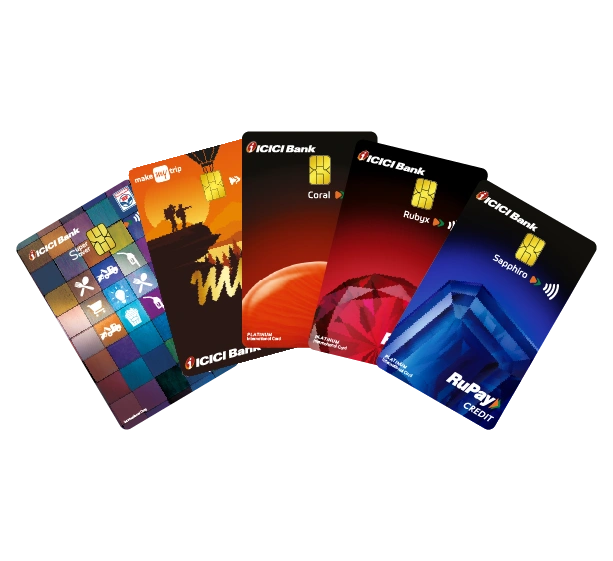
    ₹500 + GST for Coral Credit Card

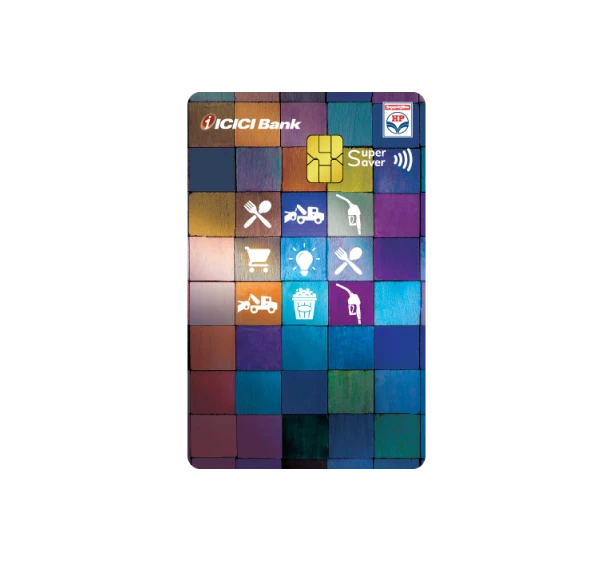
    ₹500 + GST for HPCL Super Saver Credit Card

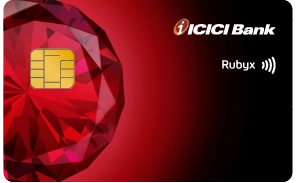
    ₹3,000 + GST for Rubyx Credit Card

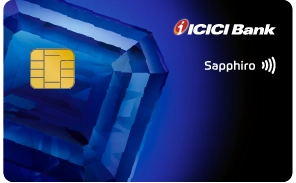
    ₹6,500 + GST for Sapphiro Credit Card

    ₹999 + GST for MakeMyTrip Credit Card

  • Annual Fee

    ₹500 + GST for Coral Credit Card

    ₹500 + GST for HPCL Super Saver Credit Card

    ₹2,000 + GST for Rubyx Credit Card

    ₹3,500 + GST for Sapphiro Credit Card

    ₹999 + GST for MakeMyTrip Credit Card

  • ATM Withdrawal

    Pay 3.75% interest per month 

  • Finance Charges

    Pay 3.75% interest per month

  • Late Payment Charges

    Ranging from ₹100 to ₹,1300

  • Most Important Terms & Conditions

    Please refer to the Most Important Terms & Conditions (MITC) (PDF, 855 KB) for other charges

ICICI Bank Rupay Credit Card FAQs

Does the ICICI Bank RuPay Credit Card provide discounts on movie tickets?

Yes, the ICICI Bank RuPay Credit Card does provide discounts on movie tickets.

What is the benefit of using the ICICI Bank RuPay Credit Card?

The ICICI Bank RuPay Credit Card offers seamless savings and convenience. Easily link it to UPI for quick and secure payments to merchants, with wide acceptance nationwide and hassle-free transactions.

Can I make an online purchase with the ICICI Bank RuPay Credit Card?

Yes. You can easily make online purchases across India and in select overseas stores using the ICICI Bank RuPay Credit Card.

What is CVV in a Credit Card? How do I find it in my ICICI Bank RuPay Credit Card?

Flip your ICICI Bank RuPay Credit Card. The 3-digit Security Code next to the signature panel is your CVV (Card Verification Value). You can also check it by logging in to your iMobile app or Net Banking.

What is the age limit to apply for a RuPay Credit Card?

You must be between the age of 21 and 65 years to be eligible to apply for the RuPay Credit Card.

How do I know the payment due date of the ICICI Bank RuPay Credit Card?

You can find the payment due date of your ICICI Bank RuPay Credit Card either through the monthly statement, iMobile app, Net Banking or by calling Customer Care on 1800 1080.

How do I link the ICICI Bank RuPay Credit Card with iMobile for UPI payments?

Please follow the steps below to link your ICICI Bank RuPay Credit Card with iMobile:

  • Step 1: Download and log into the iMobile app

  • Step 2: Select ‘UPI Payments’

  • Step 3: Click on ‘UPI Settings

  • Step 4: Select ‘RuPay Credit Card’

  • Step 5: Click on ‘Enter Last 6 digits of Credit Card’ and enter the corresponding digits of the Credit Card Number

  • Step 6: Enter your 4-digit PIN

  • Step 7: Click on ‘Confirm’.

Will I need a separate UPI PIN for my ICICI Bank RuPay Credit Card for payments?

Please find the details below:

iMobile: No separate UPI PIN needs to be created, existing UPI PIN will suffice. Third-Party Apps: A separate UPI PIN needs to be created for ICICI Bank RuPay Credit Card when linking it to carry out UPI payments on other UPI apps

What are the pre-requisites for linking the ICICI Bank RuPay Credit Card on iMobile?

The ICICI Bank RuPay Credit Card can be linked on the iMobile app post 1 hour of the RuPay Credit Card creation. For non-QR code UPI transactions (e.g. online payments), online transactions must be enabled for your Credit Card. QR code-based iMobile UPI transactions can be initiated after the RuPay Credit Card is successfully linked to UPI.

How can I pay a merchant using the ICICI Bank RuPay Credit Card on UPI?

You can make payments using the iMobile app by following the path below: Open iMobile > Scan any QR > Select ‘Pay with RuPay Credit Card > Enter UPI PIN > Confirm

Payments can also be made using your UPI ID payments by entering your UPI OD at merchant apps/ websites and then approving the request on iMobile at the path below: Log into iMobile > UPI Payments > Payment Requests > Accept.

Do I need to have the same mobile number linked to my UPI app as well as my RuPay Credit Card?

Yes, the mobile number used on UPI apps should be same as the mobile number linked to your ICICI Bank RuPay Credit Card. If you have changed your mobile number, please update the same for your ICICI Bank RuPay Credit Card as well. After updating, you will need to re-register the Credit Card on the UPI app.

What are the pre-requisites for linking the ICICI Bank RuPay Credit Card with third-party UPI payment apps, i.e. UPI apps other than iMobile?

ICICI Bank RuPay Credit Card expiry details need to be entered for the Card to be linked to third-party UPI apps.

Can I make a UPI payment to any person or other Credit Card using my linked ICICI Bank RuPay Credit Card?

No, only Person to Merchant (P2M) (e.g. payments at stores, websites etc.) are allowed from the linked Credit Card. Other types of payments are not allowed.

Can I link my Visa/ MasterCard/ Diners Credit Card on UPI?

Currently, as per RBI guidelines, only RuPay Credit Cards can be linked on UPI.

What are the limits on transactions allowed from a linked Credit Card on UPI?

There is no limit for the number of transactions carried out from a linked Credit Card on UPI. However, the limit on the transaction amount allowed from linked Credit Cards on UPI is governed by the UPI transaction limits set by the National Payments corporation of India (NPCI) and the Credit Limit provided to you on your Credit Card (whichever is lower).

What are the restricted merchant categories on which customers are not allowed to make UPI payments, using the ICICI Bank RuPay Credit Card?

Customers are not allowed to make the following UPI payments using the linked Credit Card:

  • P2P: Person-to-Person, e.g. paying an individual

  • P2PM: Person-to-Person Merchant, i.e. paying an individual who is acting like a business

  • Digital account opening

  • Online lending platforms

  • Cash withdrawal at ATMs and merchants

  • Electronic Rupee Unified Payments Interface (ERUPI)

  • Payments for IPO investments

  • Foreign Inward Remittances

  • Payments for investments in Mutual Funds

and any other categories, as restricted by ICICI Bank from time to time.

Can I make my linked Credit Card as a default account to receive funds?

No, funds cannot be received on a linked Credit Card through UPI.

Do I need to enable Card controls on the ICICI Bank RuPay Credit Card for online transactions?

Yes, you need to enable online transactions on your ICICI Bank RuPay Credit Card using iMobile/ Net Banking to use Credit Cards for regular online purchases as well as online UPI transactions.

If my ICICI Bank RuPay Credit Card is renewed, do I need to link it again to UPI?

Yes, in case the ICICI Bank RuPay Credit Card is renewed or replaced, you have to re-register the Credit Card in the UPI apps you use.

Where can I see the UPI transactions on my ICICI Bank RuPay Credit Card?

ICICI Bank Credit Card transactions through UPI will be available in your ICICI Bank RuPay Credit Card statement every month. The statement can be checked on iMobile at Credit Cards > View Statement and on Net Banking at Cards > Credit Cards > Statement.

Will I earn any reward points for UPI spends using ICICI Bank RuPay Credit Card?

Yes, UPI spends using Credit Card will earn reward points as per the reward point structure of the respective Credit Card.

Will I get any surcharge waiver on fuel purchases made using RuPay Credit Card via UPI mode?

Fuel surcharge waiver will be applicable as per the respective Credit Card features. For more details about UPI transactions using the RuPay Credit Card, click here .

How do I see my Credit Card Number online?

To view your ICICI Bank Credit Card Number online, log into iMobile or Net Banking and view your Credit Card details.

How do I link my ICICI Bank RuPay Credit Card with UPI to make payments?

    You can link your ICICI Bank RuPay Credit Card with UPI using the iMobile app. Please follow the steps below:

  • Log into iMobile
  • Click on the 'UPI Payments' tab
  • Click on 'UPI Settings'
  • Click on the button at the bottom-right side of the screen
  • Select 'RuPay Credit Card'
  • Select the desired bank whose Credit Card you want to link
  • Verify the Card details, set the UPI PIN and you are ready to go!

You can now use your RuPay Credit Card for UPI payments at merchant outlets which support the same.

Take a word from our Customers

  • S

    Sharad Kapoor

    Rating: 4.2 stars

    ICICI Bank's Coral Credit Card has been my financial companion for years. The rewards program offers great value, and the discount.

  • R

    Rishab Jain

    Rating: 4.5 stars

    I can't say enough good things about ICICI Bank's Amazon Pay Credit Card. The cashback rewards on Amazon purchases.

  • S

    Shushant Singh

    Rating: 5 stars

    The ICICI Bank Sapphiro Credit Card has been a great companion for rewards and lifestyle perks. I’ve enjoyed free movie tickets (BOGO) via BookMyShow, milestone reward points, and 24/7 concierge services that make planning trips a breeze and hassle-free! Also the dual network feature of the card provides the benefit of both Visa and Amex.