ICICI Bank Logo ICICI Bank Logo

Best for

Track All Your Finances in One Place with iFinance

  • Link your other Banks Accounts, Stocks, and ETFs

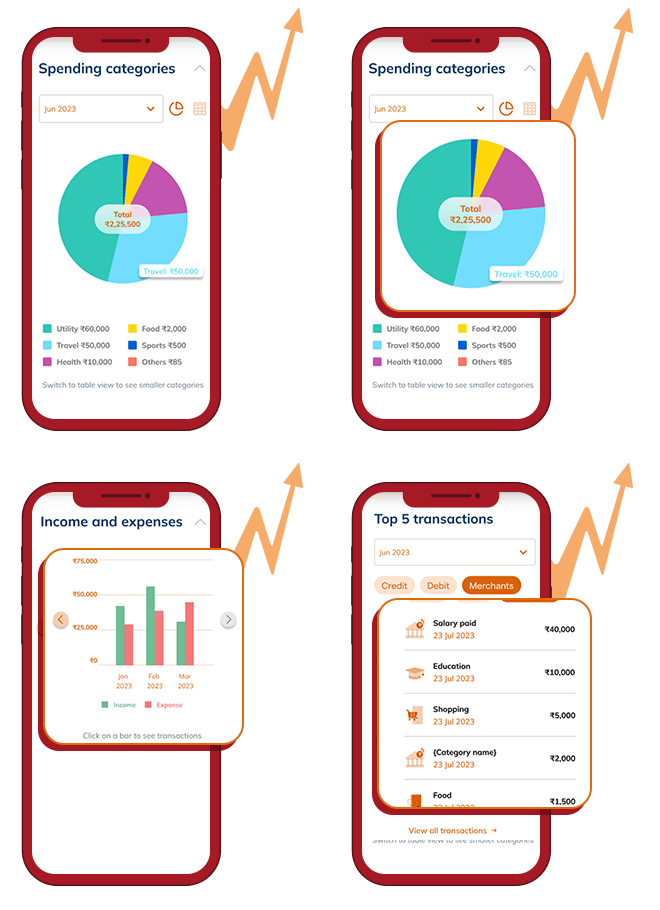
  • Monitor Your Income and Expenses at your convenience

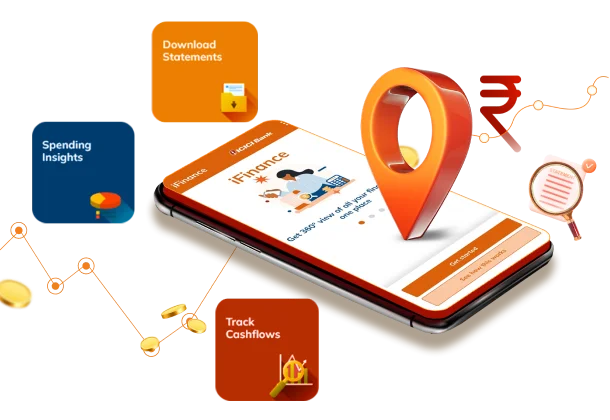
  • View Top Spending Categories and Download Statements

  • Enjoy a 100% Secure Overview of All Transactions

Secure Data- Fetching 

iFinance uses RBI-regulated Account Aggregator ecosystem, to link your other Bank Accounts, Stocks and ETFs across brokers with OTP and Consent based Data sharing giving you a secure, unified view of your balances and investments.

How to Get Started with iFinance

FAQs

What is iFinance?

iFinance is a feature available within the ICICI Bank digital platforms - Internet Banking and Mobile apps (for both individual and self-employed segments). It is powered by our account aggregator technical service (via Financial Information Providers or FIPs), which allows you to fetch and view information of all your bank accounts and investments linked with registered mobile number, held at other banks.

iFinance offers a comprehensive view of your statements, including bank balances, top spending and income categories, expense breakdowns, daily inflows, expenses, balance analysis and your investments.

Why am I unable to see or link my ICICI Bank account(s)?

Using iFinance you can link all other Bank(s) account(s), view transactions, download statements, check spends & track them. For your ICICI Bank account(s) please refer the iMobile app, where in you can avail all these features within the app itself.

Why should I connect my accounts from other banks to my ICICI Bank app?

It has always been a common pain-point for customers to visit multiple bank branches or navigate through different banking apps to view individual account related information. iFinance feature brings you a one-stop digital solution to get a consolidated view of all your bank accounts and their balances, along with investments, in a single window.

It also offers you summary and analysis of your income and expenses, showing where and how you spend money from all your accounts. This helps you gain better control over your transactions and seamlessly monitor your finances and expenses. Additionally, it shows your investment holdings, their current value and more.

How do I connect my accounts from other banks to my ICICI Bank app?

  • Log-in to ICICI Bank (Internet banking or mobile application)
  • Click on iFinance, verify your mobile number through OTP
  • Upon successful verification, link all your accounts by following instructions
  • Select the banks that you want to link
  • Upon providing consent for each bank, your accounts from banks (FIPs) will be linked
  • After all your bank accounts are linked, continue by providing consent to your investments in a similar fashion
  • Now you are ready to view consolidated balances and transactions at one place, along with your investments

What information can I view using iFinance

  • Overview the balances of your linked accounts from other banks
  • See a summary of your top spending and income categories
  • Get a category wise breakdown of your expenses for better financial insights
  • Track your financial health by accessing daily inflow, expenses, and balance analysis
  • View the current value of your Stock & ETF holdings

Is my financial data safe while using iFinance?

Yes, we prioritise the security and privacy of your financial data. As a leading Bank, we adhere to industry-leading security standards to protect your information.

How accurate is the data displayed in iFinance?

The accuracy of the data displayed in the iFinance depends on the accuracy of the information shared by the other Financial Institutions across banks, CTAs, depositories, (FIPs) etc. We rely on the data provided by these FIPs and do not alter or modify it in any way. It is essential to regularly review your transactions and balances to ensure accuracy.

Can I rely on iFinance to make financial decisions?

No, iFinance is intended to provide you with a consolidated view of your Bank Accounts and Investments. It does not provide investment or financial advice. Any financial decisions you make should be based on careful analysis and consultation with financial experts, as well as considering other relevant factors beyond iFinance’ s representation of data.

How often is the data updated in iFinance?

The data in iFinance is refreshed daily to provide you with up-to-date information. You may also manually refresh at an hourly interval. However, the frequency of updates may depend on the policies of the consent provided by you, the respective FIPs and the availability of data from those institutions.

Can I de-link my accounts from other banks at any time?

Yes, you have the flexibility to de-link your accounts from other banks at any time. Simply, go to iFinance and revoke the consent. This will remove the data of all Bank accounts linked to that consent from iFinance. The same applies to your investments.

Is there a fee for using iFinance?

As an ICICI Bank customer, the usage of iFinance is free of charge. However, please refer to the terms and conditions provided by ICICI Bank for any applicable fees related to using specific features of iFinance from time to time.

Whom should I contact if I encounter any issues or have questions about iFinance?

If you come across any issues or have questions related to iFinance, you can reach out to ICICI Bank’s customer support for assistance to address your concerns and we will provide you with the necessary guidance.

What do I do in case my account linking fails?

In case your account linking or data updating fails, feel free to contact ICICI Bank Customer Care.

Can I re-link my accounts after de-linking them?

Yes, you may re-link the delinked accounts at any time you want. You have to follow the same process as you did while linking the accounts initially.

After I de-link my accounts, will the financial data collected also be deleted?

De-linking will not delete the data which was previously received but it will stop the data which is being fetched basis your Consent for future.

What is the Stocks & ETFs feature in iFinance?

The Stocks & ETFs feature in iFinance allows users to link, view and track all their Stock and ETF holdings in one place, alongside their bank accounts.

How does the Stocks & ETFs feature benefit me?

It helps to get a consolidated financial overview. Instead of juggling between multiple brokerage platforms, you can now track your Stocks and ETFs portfolio right within iFinance.

Do I need an ICICI Demat or Trading Account to use the Stocks & ETFs feature in iFinance?

No, the Stocks & ETFs feature in iFinance allows users to link accounts from other brokers and depositories as well, providing a complete view of your investments.

Will I be able to buy or sell stocks and ETFs directly through iFinance?

iFinance is primarily a tracking and insights tool. You can only monitor and track your holdings within iFinance.