

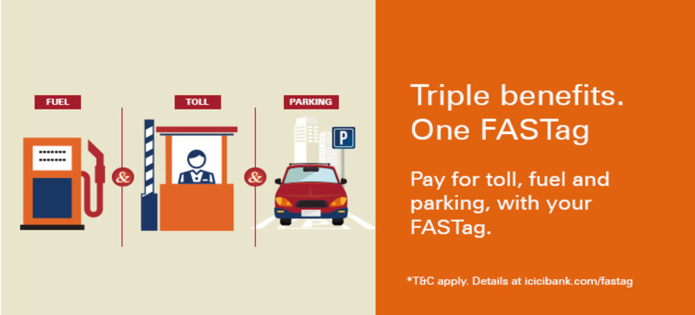
Do you want to avoid long queues at toll plazas and save money? FASTag is the perfect solution that delivers this and many more benefits. It is a digital toll payment system that uses Radio Frequency Identification (RFID) technology to automatically pay toll charges from a prepaid wallet linked to a magnetic sticker affixed to a vehicle's windscreen. In 2021, FASTag became mandatory for all four-wheelers in India. Vehicle owners without FASTag have to pay double the regular toll charges. Moreover, it offers a hassle-free experience of paying toll charges without any cash transactions.
If you are a new FASTag customer and wondering how to check FASTag history, here is a guide to help you.
What is FASTag transaction history?
The FASTag transaction history records all transactions linked to your FASTag Account. It shows the time, date, amount and location of each toll payment deducted from the account. Keeping track of the transaction history ensures sufficient balance in the account.
Different ways to check FASTag history
Here are the ways in which you can check FASTag history
iMobile
Follow these steps to check FASTag history using the iMobile app:
- Download the iMobile app from Google Play Store or Apple App Store.
- Open the app and log in to your FASTag Account.
- Navigate to the ‘Pay’ section.
- Under ‘Recharge & Pay Bills’, click on ‘FASTag Recharge’.
- Choose your biller.
- Enter your Vehicle Registration Number or wallet ID.
- Click on ‘Proceed’.
- After retrieving your FASTag details, you can view your transaction history, which shows all recharges and payments.
NETC Portal
The National Electronic Toll Collection (NETC) has an official portal where you can check FASTag statements regardless of the issuer. Visit the NETC portal, log in using your credentials and access your FASTag transaction history.
ICICI Bank website
Visit the ICICI Bank website and log in using your credentials. A section will appear displaying your FASTag transaction history.
SMS alerts
FASTag issuers send SMS alerts for each FASTag recharge and payment. Check your registered mobile number for SMS alerts to view your FASTag history. With this process, you will know your past recharges and FASTag balance.
Customer Care
Call your FASTag issuer’s Customer Care number to request your transaction history through SMS or e-mail.
Point Of Sale (POS) receipt
Whenever you pay at a toll plaza, you receive a POS receipt containing details about the transaction, including its time, date and location. You can save these receipts or take their pictures for future reference.
What information can I get with a FASTag transaction statement?
In a FASTag transaction statement, you will get the following information for each toll payment:
- Transaction date and time: The date and time when the toll transaction was confirmed.
- Name of the toll plaza: The location or name of the toll plaza where you made the payment.
- Code of the toll plaza: Each toll plaza has a unique code for identification. The FASTag statement includes this code to indicate the transaction.
- Transaction amount: The amount of the toll payment deducted from your linked FASTag Account.
- Vehicle class: The vehicle category based on its size and type, affecting the toll rate.
- Vehicle Registration Number: The Vehicle Registration Number linked to the FASTag Account.
- Transaction ID: It is a unique identifier for each toll transaction. It helps track the payment and resolve any issues related to it.
- Mode of payment: The payment method used to complete the toll payment. It might include a Bank Account, UPI, Debit Card, Credit Card, etc.
- Transaction status: The transaction status indicating ‘Success’ for completed payments.
- FASTag balance: The balance remaining in the wallet after a toll payment.
The information in the transaction statement helps in keeping track of the toll transactions and verifying their accuracy with the mention of date and time. You can access the transaction history through any of the above methods.
How is a FASTag statement useful?
A FASTag statement is a detailed record of all the activities and transactions related to your FASTag Account. Learning how to check FASTag history helps in the following ways:
- Transaction history: The statement comprehensively lists all the toll transactions carried out through the FASTag Account. It helps in tracking the expenses related to toll payments and recharges.
- Expense tracking: A FASTag statement helps you monitor all toll expenses over a particular period, allowing you to manage your budget and costs more effectively.
- Account reconciliation: You can check your FASTag history with your payment method and Bank Account to ensure precision and identify any unauthorised transactions and discrepancies.
- Payment proof: The FASTag statement is a proof of toll payments that is useful for tax purposes and expense claims.
- Alerts for suspicious activities: Regularly checking the FASTag statement helps you quickly identify fraudulent or suspicious transactions and report them to the relevant authority.
Benefits of checking the FASTag statement online
Checking your FASTag statement online offers the following benefits:
- Financial tracking: The statement lets you track your toll expenses, helping you manage your travel expenses efficiently.
- Transparency: With a FASTag statement, you can confirm the toll charges and ensure accuracy.
- Payment History: Access to your toll payment history streamlines the expense and tax reporting.
- Convenience: You can check your FASTag statement online from anywhere, eliminating the need for any physical visits or paperwork.
Now that FASTag has become mandatory for all four wheelers across India, learning how to check FASTag history ensures accountability and transparency in toll payments. It enables vehicle owners to track their toll payments effectively and promptly resolve issues.
The methods outlined above simplify the process and offer various benefits associated with checking the FASTag history. For an easy and quick FASTag experience, get your ICICI Bank FASTag now and check statements online using the Bank’s website or the iMobile app.
How to Download FASTag History Statement or Transaction Statement
If you are wondering how to download FASTag statement or how to get FASTag statement, you can do so through the FASTag Customer Portal.
Follow these steps to access your FASTag statement download online:
- Log in to the FASTag Customer Portal using your registered credentials.
- Go to the “Statements” or “Reports” section.
- Select the required date range to check your FASTag transaction history or FASTag history.
- Click on View to see your FASTag transactions, including toll plaza details and deductions.
- Choose Download FASTag statement.
- Select the format – FASTag statement PDF or Excel.
- Save the file or print it as a toll statement for record-keeping or tax purposes.
This process helps you complete a FASTag history check, review FASTag deduction history, and track FASTag payment history easily.
FASTag Transaction History by Vehicle Number
You can check FASTag transaction history by logging in and selecting the registered vehicle number. The portal displays toll deductions, recharge entries and transaction details linked to the vehicle.
What to Do If You Find a Mistake in Your FASTag Transaction History
If you notice any discrepancy in your FASTag transaction history, FASTag deduction history, or toll transaction history, review the transaction details carefully on the portal.
In case of an incorrect FASTag transaction or deduction, raise a service request through the FASTag Customer Portal or contact ICICI Bank Customer Care at 1800 1080. Provide details such as vehicle number, date, toll plaza name and transaction amount and the bank representative shall help you.
Apply for an ICICI Bank FASTag
Apply via Net Banking
- Log in to Net Banking.
- Go to ‘Payments & Transfers’.
- Select ‘Buy/Recharge FASTag’.
- Enter vehicle and delivery details.
- Choose the debit account and accept the Terms & Conditions.
- Review the details and confirm the transaction.
Apply via ICICI Bank iMobile App
- Log in to the iMobile app.
- Go to the ‘FASTag’ section.
- Select ‘Buy New FASTag’.
- Enter vehicle and personal details.
- Make the required payment.
- Confirm and submit your request.
FAQs
1. Can I download the FASTag transaction report online?
Yes, you can complete a FASTag statement download through the FASTag Customer Portal. Log in, go to the “Statements” or “Reports” section, select the date range and download the FASTag statement PDF or Excel format for your records.
2. What details are shown in FASTag transaction history?
Your FASTag transaction history includes transaction date and time, toll plaza name, vehicle number, deducted amount, and available balance. This helps you track FASTag toll history, FASTag deduction history, and overall FASTag payment history easily.
3. How long are FASTag transaction records maintained?
FASTag transaction records are maintained as per applicable NETC and bank guidelines. You can log in anytime to perform a FASTag history check, review past FASTag transactions, and download your FASTag account statement for the available period.
4. How to get a FASTag transaction statement for multiple vehicles?
If multiple vehicles are linked to your FASTag login, select the relevant vehicle number in the portal to view FASTag transaction history by vehicle number. You can then proceed with FASTag statement download by vehicle number separately for each vehicle.
5. Is FASTag transaction history free to access?
Yes, checking FASTag history online, viewing FASTag transaction details, and downloading a FASTag statement online through the Customer Portal is generally available without additional charges, subject to the Bank’s prevailing terms and conditions.