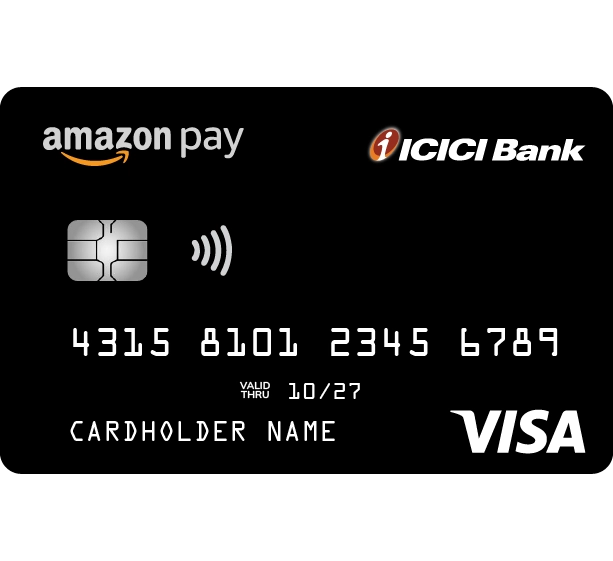
ICICI Bank Logo ICICI Bank Logo

BEST FOR

Rewards on Amazon Purchases

  • Non-expiring, Unlimited rewards

  • Lower forex mark-up at 1.99% on international spends

  • 1 % Unlimited rewards on spends outside Amazon*

  • Seamless rewards, Easy redemption

Amazon Pay ICICI Bank Credit Card FAQs

What are the benefits of using this Credit Card?

Following are the key benefits of using Amazon Pay ICICI Bank Credit Card:

No joining and annual fees

Unlimited and never-expiring reward points

Earn 5% reward points on purchases on Amazon.in for prime members and 3% for non-prime members. Earn 2% reward points at 100+ Amazon Pay partner merchants by using this card on Amazon Pay

1% reward points for all other payments*

Low International Forex mark-up fee of 1.99%*

Enjoy 3 months no-cost EMI on eligible Amazon.in transactions

1% surcharge waiver on all fuel purchases

Earnings in the form of Amazon Pay balance, redeemable for all Amazon and Amazon Pay purchases

Automatic conversion of earnings into Amazon Pay balance on the completion of every billing cycle*.


How can I apply for an Amazon Pay ICICI Bank Credit Card?

This is an invite-only programme. Please click here to apply for the Amazon Pay ICICI Bank Credit Card.

Can I apply for an add-on card?

Yes. You can apply for an add-on card.

Steps to apply for an add-on card:

ICICI Bank's iMobile app: Log in to ICICI Bank's iMobile app > Go to Cards & Forex > Credit Cards > Get Plus Card (Add-on card) > Select the card for which you wish to apply for an add-on card > Enter the details of the applicant > Submit.
After this, the add-on card applicant will receive the consent form > Applicant to fill the application details > Complete the V-KYC and submit.

Net Banking: Log in to Net Banking > Cards > Credit Cards > Get Plus Card (Add-on card) > Enter the details of the applicant > Proceed.
After this, the add-on card applicant will receive the consent form > Applicant to fill the application details > Complete the V-KYC and submit.

I have not received my Amazon Pay ICICI Bank Credit Card till now. What should I do? 

You will receive the physical card within 7 working days from the date of approval of your application. An SMS will be sent once the Card is dispatched. Please use your virtual card details to transact online. In case you do not receive the Card within 7 working days, please call our Customer Care on 1800 1080.


How do I generate or change the PIN for my credit card?

You can generate/change your PIN through any of the following ways:

ICICI Bank's iMobile app: Log in to ICICI Bank's iMobile app > Go to Services > Card PIN Services > Generate Credit Card PIN

Net Banking: Log in to Net Banking > Generate Card PIN > Credit Card PIN > Select Card and enter CVV > Submit > Enter OTP > Enter PIN > Generate Now

Interactive Voice Response (IVR) system: Call on the toll-free number 1800 1080 and follow the instructions.

How do I activate my Amazon Pay ICICI Bank Credit Card?

You can activate your card using:

ICICI Bank's iMobile app: Log in to ICICI Bank's iMobile app > Cards & Forex > Choose your Credit Card > Manage Card > Enable International/Online/Tap & Pay transactions.

Net Banking: Log in to Net Banking > Cards & Loans > Credit Cards > Manage your Card > Select Card > Enable/Disable Transaction Type/Set Transaction Limit > Generate OTP > Enter the OTP sent to your registered mobile number and complete the process.

How do I add my Amazon Pay ICICI Bank Credit Card to my Amazon Account?

Go to your Amazon Account and click on Manage Payment Methods. Add your Amazon Pay ICICI Bank Credit Card to your Amazon.in account as a new payment method.

Where do I find the CVV of my Amazon Pay ICICI Bank Credit Card?

Flip your Amazon Pay ICICI Bank Credit Card, the 3-digit security code next to the signature panel is your CVV (Card Verification Value). You can also check it by logging into the ICICI Bank's iMobile app or Net Banking

How can I know the bill due date for my Card?

You can find the bill due date for your Amazon Pay ICICI Bank Credit Card in your monthly statement, on the ICICI Bank's iMobile app, through Net Banking or by contacting Customer Care on 1800 1080.

How can I pay outstanding bill for Amazon Pay ICICI Bank Credit Card?

ICICI Bank Account: Log in to ICICI Bank's iMobile app or Net Banking and go to Credit Cards > Select Amazon Pay ICICI Bank Credit Card > Pay Now > Select the amount and proceed to payment.

Amazon.in app – You can pay your outstanding amount from the Amazon Pay ICICI Bank Credit Card dashboard.

How can I earn 2% cashback on Amazon Pay partner sites?

You need to use the payment method ‘Login and Pay with Amazon’ to carry out purchases on Amazon Pay partner websites.

I did not receive the correct Amazon Pay balance based on my earnings for the last billing cycle. What should I do and where should I check whether my earnings have been correctly transferred to my Amazon account?

Please call our Customer Care on 1800 1080 from your registered mobile number or e-mail us at customer.care@icicibank.com.

You can check your reward points on the ICICI Bank's iMobile app or Net Banking. Also, the aggregate reward points are mentioned in the monthly statement shared by the Bank.

Additionally, you can check your Amazon Pay transaction history under 'Amazon Pay ICICI Bank Credit Card: Earnings for last billing cycle and the applicable gift card issued for earnings on this Credit Card’ section.
These earnings will be credited to your Amazon Account as Amazon Pay balance within 2 working days from the completion of your last billing cycle.

How can I use my Amazon Pay earnings?

The Amazon Pay balance can be used for partial or full payment of all Amazon and Amazon Pay purchases.

If I borrow an Amazon Pay ICICI Bank Credit Card from someone else and use it for my own purchases, will I earn in the form of Amazon Pay balance?

Please note that these earnings will only be transferred to the card owner’s Amazon Account. If you have borrowed an Amazon Pay ICICI Bank Credit Card from another person and are using it for your transactions, applicable Amazon Pay balance will not be added to your Amazon Account.

Take a word from our Customers

  • S

    Shushant Singh

    4.2

    The Amazon Pay ICICI Bank card has been a game-changer for my Amazon shopping—no fees (LTF), instant ₹200 cashback upon joining, and up to 5% unlimited cashback on purchases as a Prime member. These benefits along with the benefits of credit cards have helped me to save even more on my purchase.

  • R

    Rishab Jain

    4.5

    I can't say enough good things about ICICI Bank's Amazon Pay Credit Card. The cashback rewards on Amazon purchases are great.

  • S

    Soumy Dhawan

    5

    ICICI Bank Credit Cards are surely one of the best cards out there with an unbeatable reward system. The best part, the quick services they provide.